How to organise notes with folders and Magic Sort in Notes for Android
Use folders, the date filter and Magic Sort to keep a growing collection tidy.
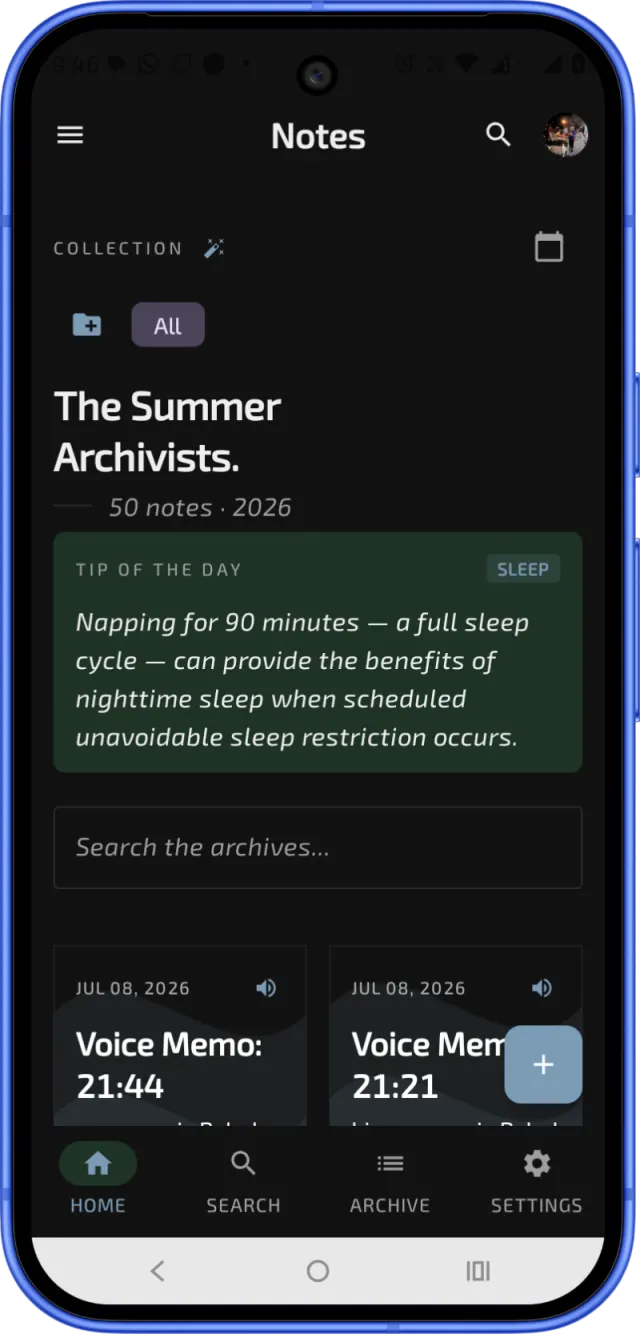
The top of the Home screen is your control panel for finding and organising notes.
What is on Home
- Magic Sort, the wand icon beside the word "Collection".
- Filter by date, the calendar icon at the top right.
- Create Folder, the folder icon with a plus.
- Folder chips such as All, Personal, Work and Ideas.
Let Magic Sort do the filing
Magic Sort categorizes your notes as you write them, so you do not have to build folders or remember tags. Tap the wand beside "Collection" to use it.
Make your own folders
- Tap Create Folder at the left of the folder row.
- Name the folder.
- Tap a folder chip to see only the notes inside it. Tap All to see everything again.
Find notes by date
Tap the calendar icon to Filter by date and narrow the list to the day you remember writing something.
Habits that help
- Keep a small number of folders. Magic Sort handles the rest.
- Use Search when you remember a word from the note but not where you put it.